Changing a file from 72 to 300 DPI does not add a single pixel.
DPI is a note stored inside the file that says how big those pixels should be on paper. Change the note and the printer prints the same pixels smaller: sharper, yes, but on a smaller print.
That matters because almost everyone who searches for a DPI converter was told to "send it at 300 DPI". Sometimes the note really is all that is missing. Sometimes the image simply does not have enough pixels for the size it is meant to be printed at.
A worked example
Here is the photo from our upscaler's front page, 512×395 pixels, the kind of thing you get from a web download or a messaging app.
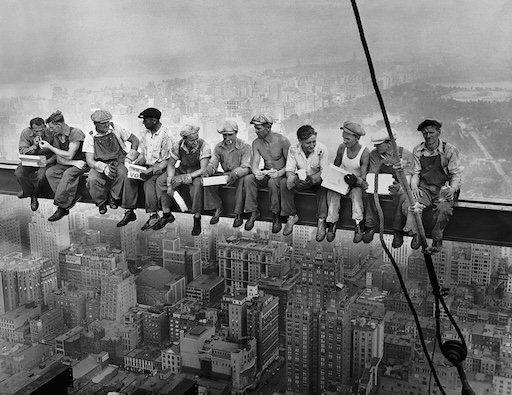
- At 300 DPI it prints 4.3×3.3 cm. Smaller than a credit card.
- On a 10×15 cm print it reaches 87 DPI. Blurry if you look closely.
- On A4 it reaches 44 DPI. Blurry from across the room.
Setting the DPI tag to 300 changes none of that. It's still the same number of pixels! Upscaled 4× it becomes 2048×1580px, which prints that 10×15 cm photo at 347 DPI.
Free. Runs in your browser, nothing uploaded.
How many pixels a print actually needs
The standard print shops ask for 300 DPI. 150 DPI is the point where most people stop noticing on a photo held at arm's length, so half these numbers is the honest minimum.
| Print size (cm) | Pixels at 300 DPI |
|---|---|
| 9×13 cmsmall photo print | 1063×1535 (1.6 MP) |
| 10×15 cmstandard photo print, postcard | 1181×1772 (2.1 MP) |
| 13×18 cmlarge photo print | 1535×2126 (3.3 MP) |
| 20×25 cmframed portrait | 2362×2953 (7.0 MP) |
| A4 (21×29.7 cm) | 2480×3508 (8.7 MP) |
| A3 (29.7×42 cm) | 3508×4961 (17.4 MP) |
| Poster 60×90 cm | 7087×10630 (75.3 MP) |
Posters are the exception worth knowing: they are looked at from two metres away, and 100–150 DPI is plenty. Print shops that demand 300 DPI for a 60×90 cm poster are asking for a 75-megapixel file.
How to check the DPI of an image
Right here. Load a photo and see what it prints at.
Or look for yourself:
- macOS: open the file in Preview, then Tools → Show Inspector. The image tab lists DPI next to the pixel dimensions.
- Windows: right-click the file → Properties → Details, then read "Horizontal resolution" and "Vertical resolution".
- Anywhere: if no DPI is stored in the file at all, software falls back to 72. "72 DPI" often means "nobody ever said", not "someone chose 72".
Can I convert 72 DPI to 300 DPI?
You can change the number, but on its own that adds no detail. Changing the tag from 72 to 300 without changing the pixels tells the printer to print the same pixels smaller: sharper, but on a smaller print. That's not what you want. To keep the size and gain real detail, the image needs more pixels.
How do I make a JPEG 300 DPI?
First check whether the pixels are there: load the photo into the tool above and look at the size you want to print. If it is sharp, the tag is all that is missing, and any editor sets it — Preview → Tools → Adjust Size on a Mac, or Image → Image Size with Resample off in Photoshop. If the photo is too small, the tag changes nothing and it needs more pixels.
Upscale your photo →How do I check the DPI of an image?
Load it into the tool above. Or on a Mac: Preview → Tools → Show Inspector. On Windows: right-click → Properties → Details → Horizontal and Vertical resolution. If nothing is stored, software assumes 72.
What is the difference between DPI and PPI?
PPI describes the image file, DPI describes the printer's ink dots. For image files the words are used interchangeably, and anyone asking for 300 DPI means 300 pixels per inch at print size.
How many pixels do I need for a 300 DPI print?
Print size in inches × 300. A 10×15 cm print needs about 1181×1772 px, A4 about 2480×3508 px, A3 about 3508×4961 px.